

 Ben Stokes
  17 June 2026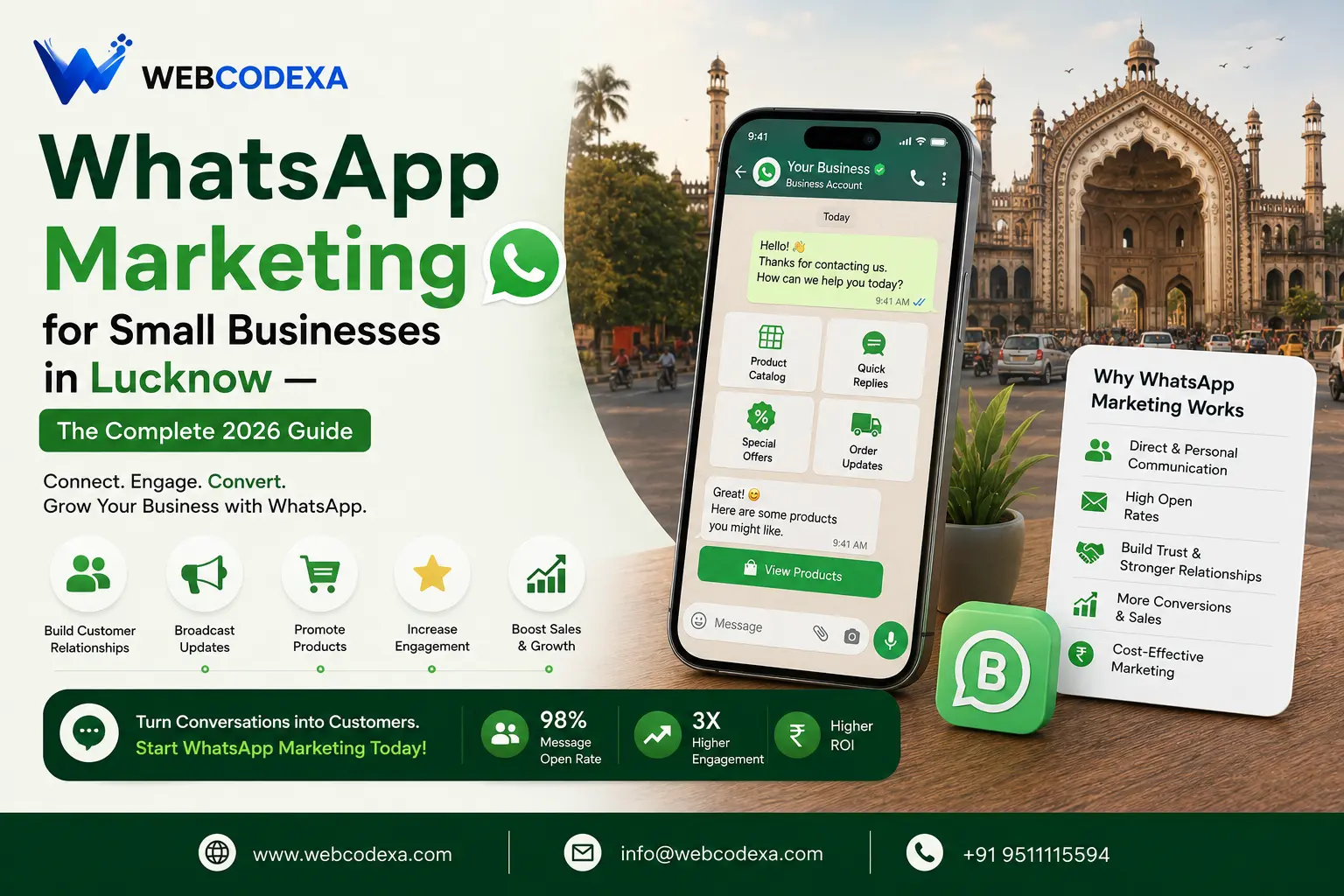
WhatsApp Marketing for Small Businesses in Lucknow — The Complete 2026 Guide
India has over 500 million WhatsApp users. In Lucknow, WhatsApp is not just a messaging app — it is how business gets done. Customers ask for quotes on WhatsApp. Orders are placed on WhatsApp. Relationships are maintained on WhatsApp. For many small businesses in the city, it is already their primary sales and customer service channel.
But most Lucknow businesses are using WhatsApp the same way they used it five years ago: personal number, manual replies, forwarded images. They are leaving enormous potential value on the table. WhatsApp Business — and the strategies built around it — can transform a tool you already use into a proper marketing and sales system.
This guide covers everything a Lucknow small business needs to know to use WhatsApp professionally and effectively in 2026.
WhatsApp Personal vs WhatsApp Business — What Is the Difference?
WhatsApp Business is a free app specifically designed for businesses. If you are still running your business from a personal WhatsApp number, switching to WhatsApp Business gives you immediately useful features:
- Business Profile — Your business name, description, address, website, opening hours and email, all visible to every contact.
- Product Catalogue — A visual catalogue of your products or services with photos, descriptions and prices, accessible directly from your chat window. Customers can browse and share items without visiting your website.
- Quick Replies — Save your most common responses as shortcuts. Type “/price” and it sends your standard pricing message. Saves enormous time on repetitive queries.
- Away Message — Automatically replies to customers who message outside your business hours, setting expectations and capturing leads.
- Greeting Message — Automatically sends a welcome message to anyone who messages you for the first time.
- Labels — Organise contacts and chats with colour-coded labels (New Customer, Pending Payment, Repeat Order, etc.)
- Statistics — See how many messages were sent, delivered, and read.
Setup takes 15 minutes and it is completely free. If you have a Lucknow business and are not on WhatsApp Business, stop reading this and switch right now.
Building Your WhatsApp Broadcast List
A WhatsApp Broadcast List lets you send one message to up to 256 contacts simultaneously — and each recipient receives it as a private individual message, not a group chat. For Lucknow businesses, this is one of the most effective low-cost marketing tools available.
Who to Add to Your Broadcast List
- Every existing customer (with their permission)
- Every enquiry that has not yet converted
- People who have visited your shop or office
- Contacts from business card exchanges
- Anyone who has bought from you in the last 2 years
Critical rule: The recipient must have saved your number in their phone for your broadcast to reach them. This is why every WhatsApp you send should end with: “Please save this number to receive our updates.”
What to Send on Your Broadcast List
- New product or service announcements
- Seasonal offers (Eid, Diwali, New Year, summer offers)
- Limited-time promotions (“This weekend only — 15% off all services”)
- Useful tips relevant to your industry (builds authority)
- Photos of recent completed work (social proof)
- Testimonials from recent customers
What NOT to send: Anything more than 2–3 messages per week. Overly promotional language on every message. Forwarded generic content. Long paragraphs of text. Your broadcast list is built on trust — abuse it and people will block you.
The WhatsApp Catalogue — Your 24/7 Sales Tool
The WhatsApp Business catalogue is dramatically underused by Lucknow businesses. It is essentially a mini online store accessible directly from your WhatsApp profile. Customers can browse your products or services with photos and prices without you having to manually send images each time.
How to set up your catalogue:
- Open WhatsApp Business → Settings → Business Tools → Catalogue
- Add each product or service with a photo, name, price, and short description
- Add a link to your website or a “message to order” option
Once set up, when someone asks “what do you offer?” or “what are your rates?”, you can share a catalogue item or the full catalogue link with one tap. For businesses with physical products — clothing, food, handicrafts, gifts — this can genuinely replicate a shopping experience within WhatsApp itself.
WhatsApp Status — The Overlooked Marketing Channel
WhatsApp Status (the 24-hour disappearing stories feature) is seen by everyone who has your number saved. For a Lucknow business with 300+ contacts saved, your Status updates are being seen by hundreds of people who already know and trust you.
Use Status for:
- Photos of work in progress or recently completed projects
- Behind-the-scenes of your business (builds personal connection)
- Daily or weekly offers
- Customer testimonials or thank-you messages
- Festival greetings (Eid Mubarak, Happy Diwali) with your logo
- Short video demonstrations of products or services
Post to Status 3–5 times per week. Keep it visual and authentic. People watch Status content in a relaxed, receptive mindset — it is a softer, relationship-building touch point that keeps your business top of mind without feeling like an ad.
WhatsApp for Customer Service — Setting the Standard
In Lucknow, speed of response on WhatsApp is a genuine competitive differentiator. A customer comparing three businesses and getting a quote response from you in 5 minutes versus 3 hours from a competitor will choose you — even if your price is slightly higher.
Best practices for WhatsApp customer service:
- Set an Away Message for out-of-hours messages: “Thank you for reaching out. We are available 9am–7pm Monday to Saturday. We will reply first thing tomorrow.”
- Set a target of replying within 1 hour during business hours. This standard alone will differentiate you from most Lucknow competitors.
- Use Quick Replies for your 10 most common questions — save hours of retyping the same information daily.
- Follow up on every unanswered enquiry after 24 hours. A simple “Just checking if you had any other questions?” message re-engages customers who went quiet.
WhatsApp + Website + SEO — The Full System
WhatsApp marketing works best when it is part of a connected digital presence, not a standalone effort. Here is how to connect the channels:
- Add a WhatsApp click-to-chat button on your website (api.whatsapp.com/send?phone=91XXXXXXXXXX). Visitors from Google can instantly start a conversation.
- Add your WhatsApp number to your Google Business Profile. Customers finding you on Google Maps can WhatsApp you with one tap.
- Use your WhatsApp broadcast list to share new blog posts from your website — drives traffic and builds authority.
- Collect WhatsApp numbers from website visitors via a simple “Get Updates on WhatsApp” opt-in on your contact page.
A customer who finds you on Google, visits your website, and then messages you on WhatsApp has gone through a complete digital journey. Each channel reinforces the others.
What About WhatsApp Business API?
WhatsApp Business API is the advanced version used by larger businesses for automated message campaigns, chatbots, and CRM integration. It requires approval from Meta, a business verification process, and a per-message fee for outbound messages.
For most Lucknow small businesses, the free WhatsApp Business app is entirely sufficient. The API becomes relevant when you are sending more than 1,000 messages per day and need automation that the basic app cannot handle. If you are there, it is a good problem to have — and Webcodexa can help you set it up.
Ready to Build a Proper Digital Presence Around Your WhatsApp?
Webcodexa builds websites for Lucknow businesses that are properly connected to WhatsApp, Google, and local SEO — so every channel works together to bring you more customers. If you want a proper setup consultation, we are one message away.